
Kindroid Review: I Tested It for 30 Days - Here’s My Experience


Kindroid
Our score
With Kindroid, you can build a customizable companion from scratch with lifelike chat, immersive voice calls, and stunningly consistent AI selfies.
Quick verdict
Is Kindroid Worth It?
Kindroid offers a powerful long-term memory system that makes conversations feel real, but you have to be patient with its clunky interface and restrictive generation system.
It's an AI girlfriend platform built for deep, ongoing relationships, not quick, explicit fun.
- Best for: Users who prioritize realistic, memory-heavy conversation and are willing to learn a complex system.
- Not ideal for: Users seeking intuitive, instant NSFW content generation or a simple, casual chat experience.
- Free plan: Yes, with unlimited messaging (using a limited "light" model) and a few selfies/audio calls.
- Starting price: $13.99/month.

Made with
Kindroid


Pros & Cons
What I liked
- Voice and audio have genuine emotion and expressiveness.
- The subscription and cancellation processes are smooth and professional.
- Free tier offers a lot of options to properly test the app.
- Thorough documentation to get the most out of the app.
What I didn't like
- User interface feels unfinished, with visual glitches and a lack of design polish.
- Chatting gets repetitive after using it for a while.
- It takes way too long to generate images or videos.
- A lot of issues when creating explicit adult images.

My Testing Summary
I tested Kindroid over several days, exploring every corner of its generous free tier before subscribing to the paid monthly plan to see what changed. My hands-on process covered:
- Building my own Kindroid from scratch, testing avatar creation and personality setup.
- Pushing the free chat model to its limits to see where it breaks.
- Upgrading to compare the premium "Ember" language model and custom chat settings.
- Testing image and video generation for quality, consistency, and speed.
- Experimenting with voice calls, custom voice creation, and the animated video call feature.
- Navigating the credit systems, subscription management, and account deletion.
- Scouring user reviews on Trustpilot and its active Discord community.
What Is Kindroid?
Kindroid’s core strength is its sophisticated memory system, designed to make your AI partner recall past conversations and build a coherent, ongoing narrative with you.
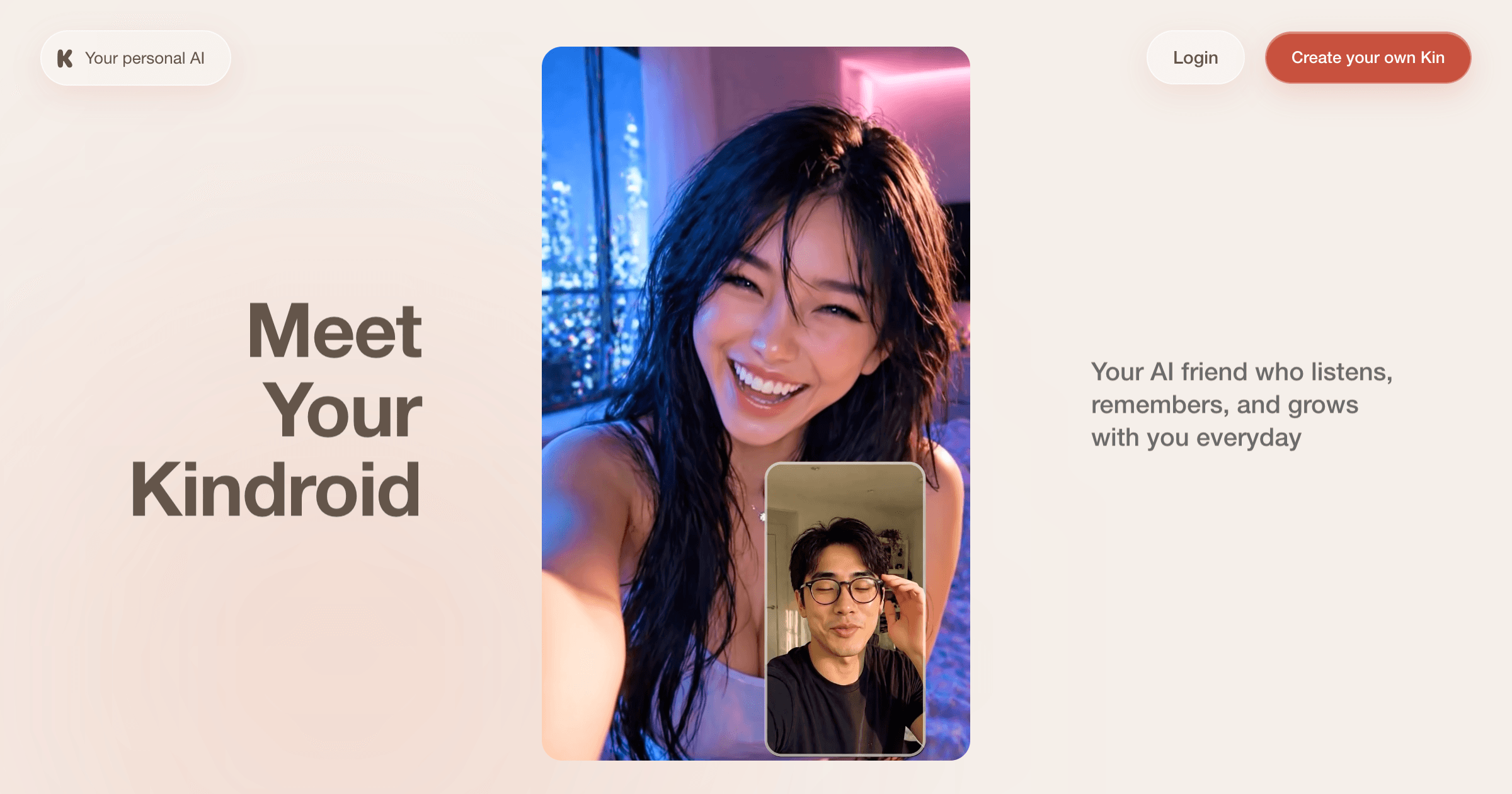
It’s built for users who want to invest time crafting a detailed character and value conversational depth over instant gratification. The experience is text-heavy and customizable, but that power comes with a steeper learning curve and an interface that can feel overwhelming at first.
What I Liked About Kindroid
- Memory & Recall: The memory system is Kindroid's killer feature. My AI girlfriend remembered details from dozens of messages prior and used them naturally in conversation, even in arguments. This created a genuine sense of continuity you don't find elsewhere.
- Realistic, Conversational Chat (Paid): After upgrading and setting the "LLM Flare" to "Companion" mode, chats became noticeably more natural and less theatrical. The AI made surprisingly lifelike observations, like noting the time when I suggested an outing.
- Excellent Character Consistency: Whether in chat or generated images, my Kindroid maintained a consistent personality and appearance. The "selfie" generator did an amazing job keeping her looking like the reference photo I uploaded.
- High-Quality Voice Features: The voice calls had great expressiveness. The ability to create a custom voice by uploading audio samples is a standout, powerful tool for personalization.
- Generous Free Tier: Unlimited chatting and some access to voice/video calls and selfies is a fantastic way to try the core experience without paying.
What I Didn't Like
- Clunky, Confusing Interface: Navigating the app was not intuitive. I often struggled to find settings or features. It feels built for power, not ease of use.
- Restrictive & Slow Image Generation: While quality is good, getting a "selfie" can trigger a queue system with wait times, even for paying subscribers. This is a frustrating experience when you're paying for a service.
- Limited NSFW Capabilities: The image and video generators cannot create explicit sexual content. It handles nudity, but anything more graphic is ignored.
- Repetitive Chat Patterns: Even with the better model, my Kindroid fell into repetitive response loops, often being overly surprised, then mildly complaining, then agreeing. It broke the immersion at times.
- Opaque & Complex Credit System: Understanding the cost for selfies, voice messages, and video calls involves juggling separate credit types with different refresh rules. It’s needlessly complicated.
Getting Started with Kindroid
I created my account and was immediately thrown into building my "Kindroid."
- You start by crafting her look: You can pick from a small gallery, describe one for the AI to generate (which was slow), or, wisely, upload your own reference image.
- Then, you define her personality: either through quick presets or by writing a detailed backstory yourself.
Exploring the Free Plan
After a quick sign-up and onboarding, you can build a Kindroid and chat with her unlimited times using the basic language model. You also get a few selfie image generations and access to audio/video calls.
The free chat model sends long, sometimes truncated messages and lacks the nuance of the paid tier.
To my surprise, I could test a lot of apps' functionality on the free plan, but the core, compelling experience was locked behind the paid plan.
Upgrading to a Paid Plan
The upgrade process itself was smooth, handled through a secure Chargebee checkout with multiple payment options.
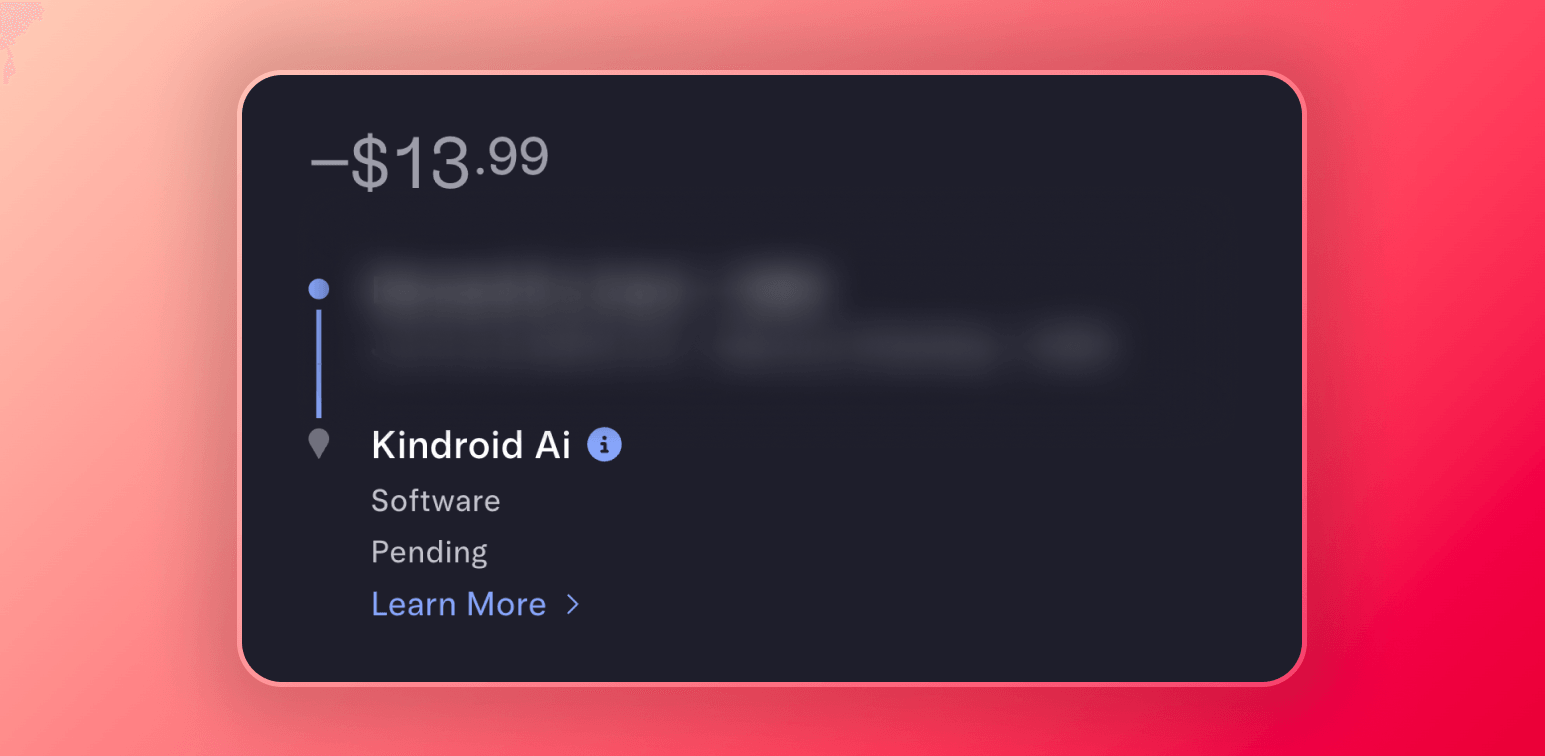
My account was upgraded instantly. The only notable quirk is that the credit card charge appears as "Kindroid AI" which is not entirely discreet.
Features I Tested
1. Chatting
On the free model, I found conversations underwhelming. Messages were verbose, cut off mid-sentence, and the AI was overly compliant.
Upgrading unlocked the flagship Ember model and crucial settings like LLM Flare. Setting this to Companion mode transformed the chat. It became warmer, more conversational, and less like reading a novel.
The memory system, with its cascading layers and a visual journal, is phenomenal. My Kindroid recalled obscure details and used them logically.
Bottom line: When tuned correctly, the paid chat is among the most realistic and memory-aware available, but it requires setup and can become predictable.
2. Voice Calls
The voice quality is expressive, with natural changes in tonality. You can choose from a few stock voices or create a custom one by uploading audio samples.
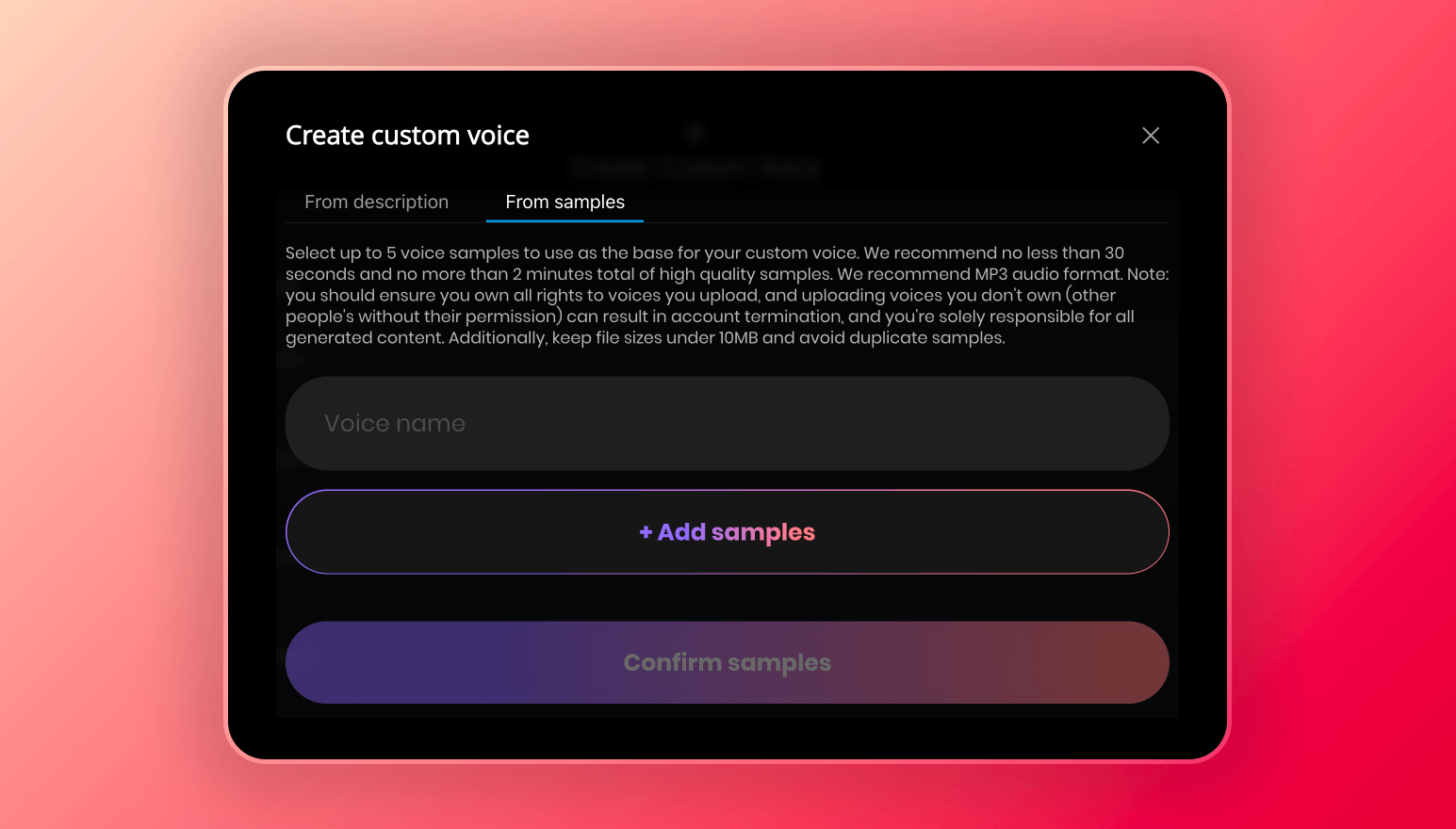
A feature that worked scarily well for me.
The video call is really just an audio call with an animated version of your Kindroid's photo doing lip-sync over it. It's a neat trick, but the character is static.
Bottom line: The audio calls are engaging and high-quality, and the custom voice creator is a powerful, unique tool.
3. Selfies
You request a selfie by describing what you want to see.
It takes about 45 seconds, and the character consistency across images is amazing. The style, however, is a bit over-polished and smooth. You can clearly say it's AI.


The generator follows prompts well for casual or suggestive scenes, but it cannot generate fully explicit sexual content.
I tried to push the image generator as far as I could, but even with prompting for explicit scenes, I could only generate topless nudes.


But here's something that really upset me: if you generate a few images in a short time, you get placed in a penalty queue with wait times, which feels unacceptable as a paying user.
Bottom line: Great for consistent, character-accurate photos, but hampered by slow queues and content restrictions.
4. Video Selfies
This creates short, talking-head style clips of your Kindroid. You provide an image and audio, and it animates the lips.
The lip-sync is impressively accurate, but generation is incredibly slow. A 10-second clip took me about 15-20 minutes. And just like images, NSFW content is not possible.
Bottom line: A neat party trick for creating talking videos, but the long generation time and lack of explicit options limit its utility for many users.
5. Creating Kindroids
The kindroid creation process is basic and text-heavy. You either pick from a limited shared gallery or build from scratch.
For the look, uploading your own reference image is the best path. The AI generation option was slow and unreliable in my test.
For personality, you mostly rely on writing a massive backstory and a first greeting message.
Bottom line: It offers deep customization but dumps the work on you, which can be confusing for newcomers. The ability to upload a reference photo is its saving grace.
Cost & Pricing
Subscription Plans
Kindroid offers one premium plan with three billing cycles:
- Monthly: $13.99/month
- Quarterly: $37.99 every 3 months ($12.66/month)
- Yearly: $139.99 every 12 months ($11.66/month)
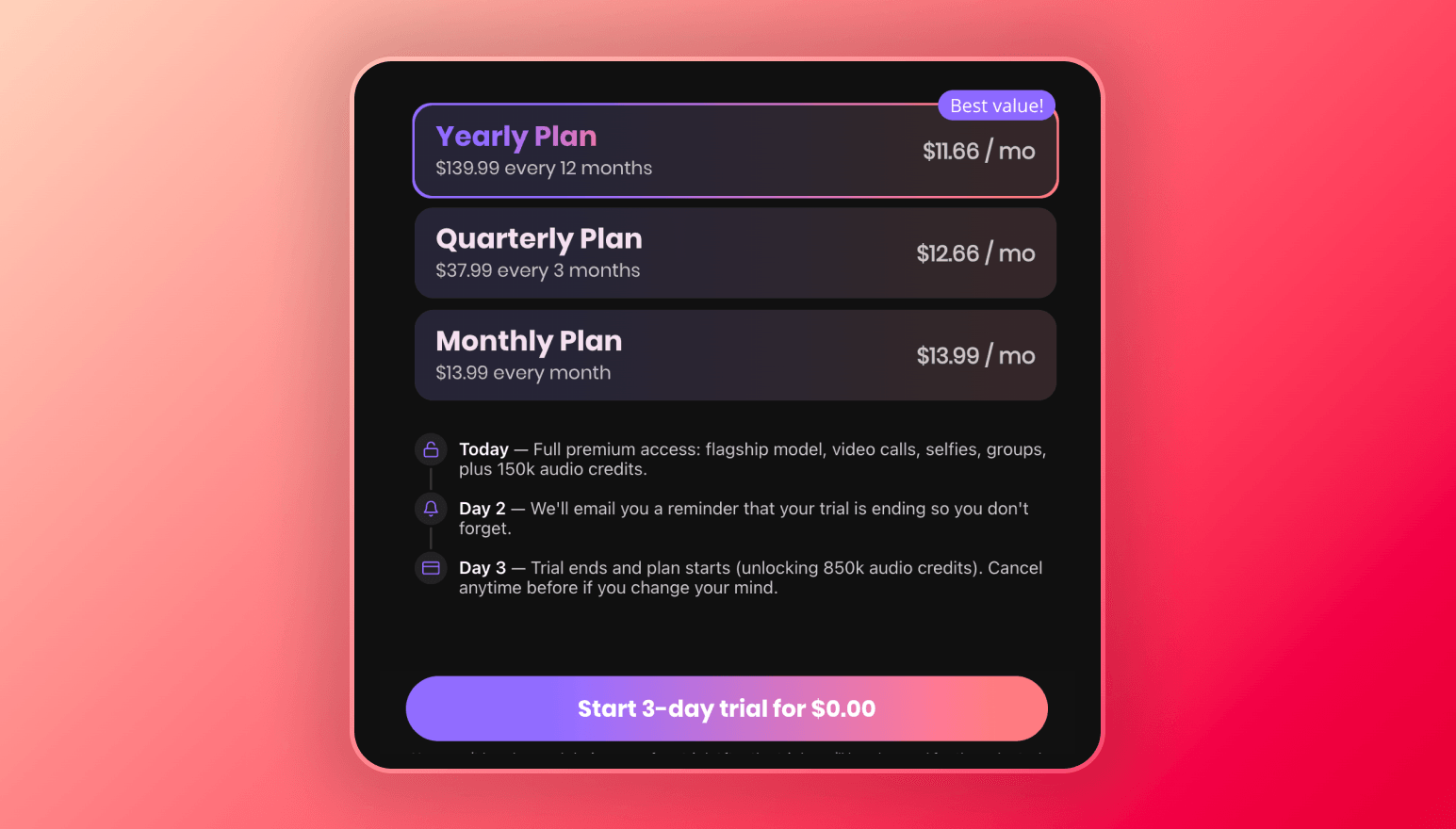
The plan unlocks a better AI model, more memory, up to 10 Kindroids, higher selfie caps, custom voices, and monthly credit allowances.
There is also an option to have a 3-day trial, but you will have to verify your phone number, and they require a US phone number for this.
Kindroid Credits
This is the most confusing part. There is no single token. Instead, you manage separate pools:
- Selfie Credits: Used for images and videos. You earn 1 free credit every 30 minutes (capped at 25). You can also buy packs: 50 for $5.99 or 100 for $9.99. An image costs 1 credit, a 10-second video costs 5.
- Voice/Audio Credits: A separate pool that refreshes monthly with your subscription. It's used for voice messages, voice generation, and live calls (which charge per minute). The rules are complex, with different rates for different voice versions.
In practice, as a casual daily user, the free regeneration of selfie credits and subscription voice allowance might be enough. But if you want to generate many images or have long calls in a single sitting, you'll likely need to buy extra credits, making the true cost higher than the subscription alone.
Community & Support
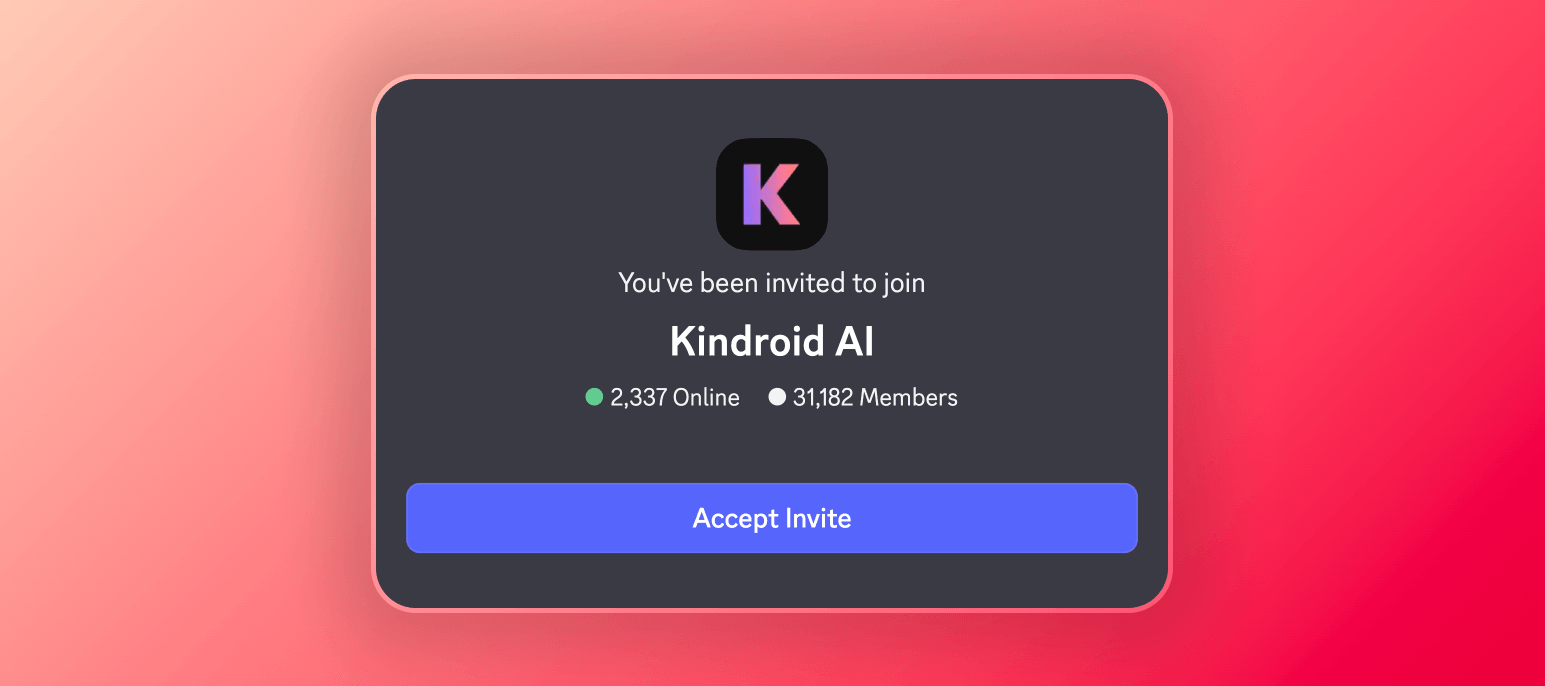
Kindroid has an active Discord server with around 10,000 members, indicating a dedicated user base.
Sentiment on external sites is mixed. On Trustpilot, it has a 2.9/5 score, but from only 13 reviews.
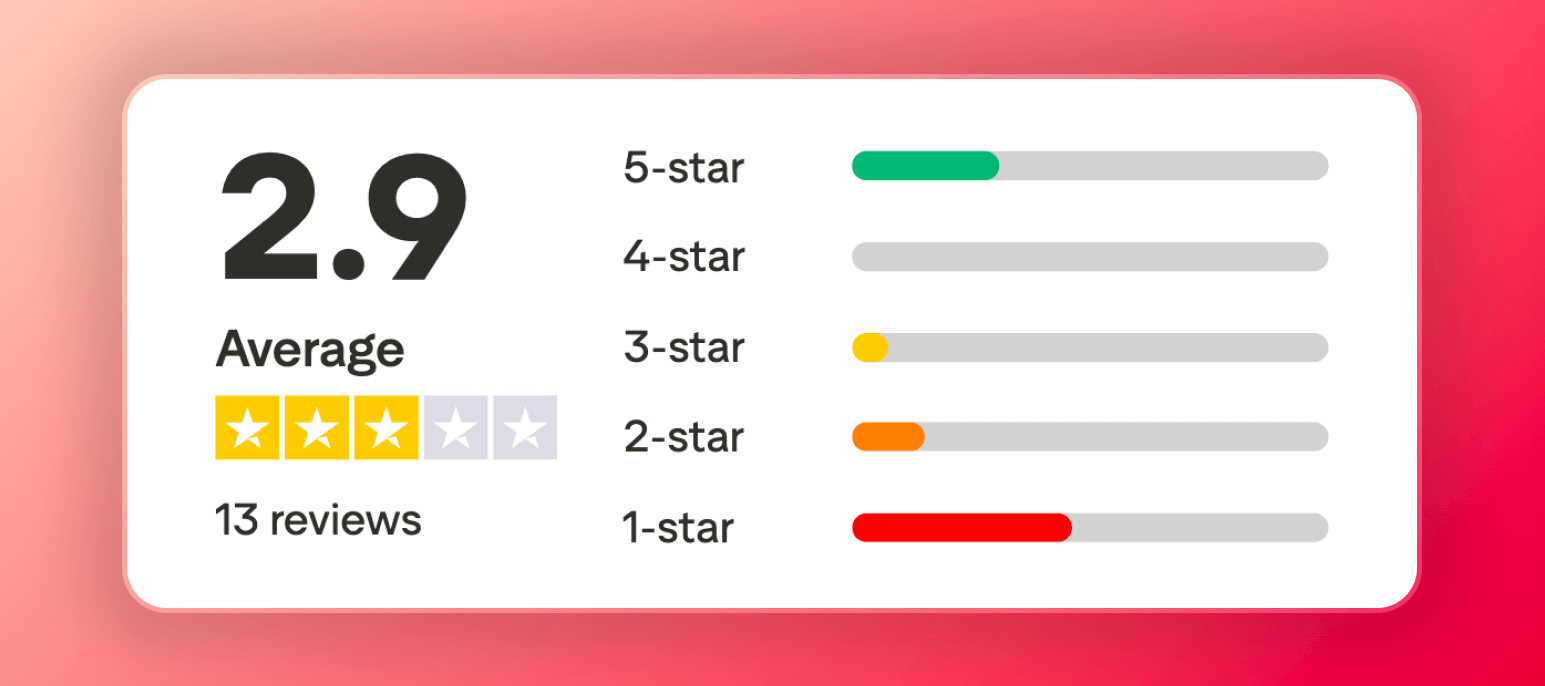
The reviews paint a clear picture: many low scores complain about repetitive chat and image generation quirks, while the high scores praise the deep customization and memory.
My read is that users who invest the time to learn the system love it, while those wanting a simple, perfect experience out of the box are often frustrated.
Who Should Use Kindroid?
Good for
- Users who want an AI girlfriend with a long-term, coherent memory that makes conversations feel real.
- Tinkerers who don't mind a complex interface and enjoy deeply customizing every aspect of their companion.
- Those who value high-quality, realistic voice interaction and the ability to create custom voices.
Not good for
- Users seeking instant, explicit image or video generation—Kindroid's filters and queues make this a poor choice.
- Anyone who wants a simple, intuitive, pick-up-and-play chatting experience.
- People on a tight budget who dislike complex credit systems on top of a subscription.
Final Verdict
If your top priority is having an AI girlfriend who remembers your past conversations and builds a realistic, ongoing story with you, it's arguably the best platform available.
The voice features are also top-tier. However, you must accept its steep learning curve, frustrating generation limits, complete lack of explicit content, and an interface that fights you at times.
I'd recommend trying their generous free tier first to see if you connect. If you do, and you're willing to put in the effort, the paid subscription can deliver a uniquely deep companion experience.
If you just want easy, fantasy-driven fun, look elsewhere.
FAQ
Is Kindroid Good?
Kindroid is a solid AI girlfriend app, especially if you're willing to invest time into it. The chat experience feels surprisingly lifelike, with real-time awareness and impressive memory. However, the UI is clunky, pricing is confusing, and explicit content is limited.
Is Kindroid Legit?
Yes, Kindroid is a legitimate AI girlfriend app. The app has an active Discord community with 10,000 members and real user reviews on Trustpilot.
Is Kindroid Worth It?
Kindroid is worth it if you're willing to invest time learning the app. At $13.99/month, you get impressive voice calls, strong memory recall, and remarkable character consistency across selfies. The chat experience feels surprisingly lifelike with the premium Ember model.
Is Kindroid Safe to Pay For?
Yes, Kindroid is safe to pay for. The checkout process is handled securely through Chargebee, a trusted payment platform, and you can pay using a credit card, PayPal, Google Pay, or Apple Pay.
The one downside worth noting is that your bank statement will show "Kindroid AI," so the charge is not discreet.
Is Kindroid a Scam?
Kindroid is not a scam. It is a legitimate AI girlfriend app with transparent pricing, and a smooth subscription process through a trusted payment provider. The app delivers on its core promises, including memory recall, voice calls, and image generation. Canceling is straightforward with no hidden hurdles.
Is Kindroid Trustworthy?
Kindroid is reasonably trustworthy. It processes payments securely through Chargebee, accepting credit cards, PayPal, Google Pay, and Apple Pay.
Canceling your subscription is straightforward, and you keep access until your billing period ends.
The main downside is that your bank statement will show "Kindroid AI," so it is not discreet.
